Program description
WorkMate is business-management software for home service contractors. When you choose to sign in or create an account with your mobile phone number, WorkMate sends you a text message containing a one-time verification code so we can confirm you control that number. This program sends verification codes only — no marketing or promotional messages.
How you opt in
Opt-in happens inside the WorkMate mobile app, only when you request a code yourself:
- Open the WorkMate app.
- Select Login, then Sign in with code.
- Enter your mobile phone number.
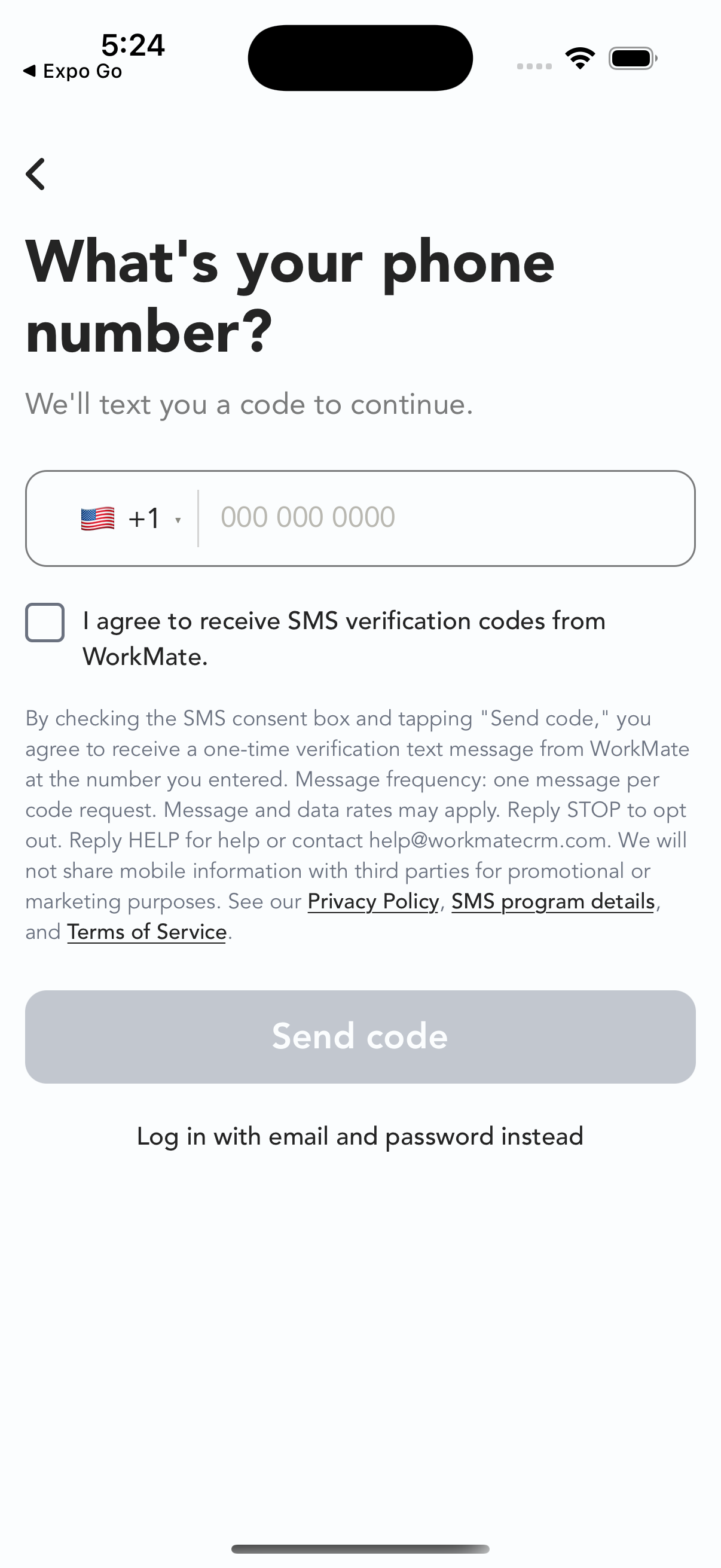
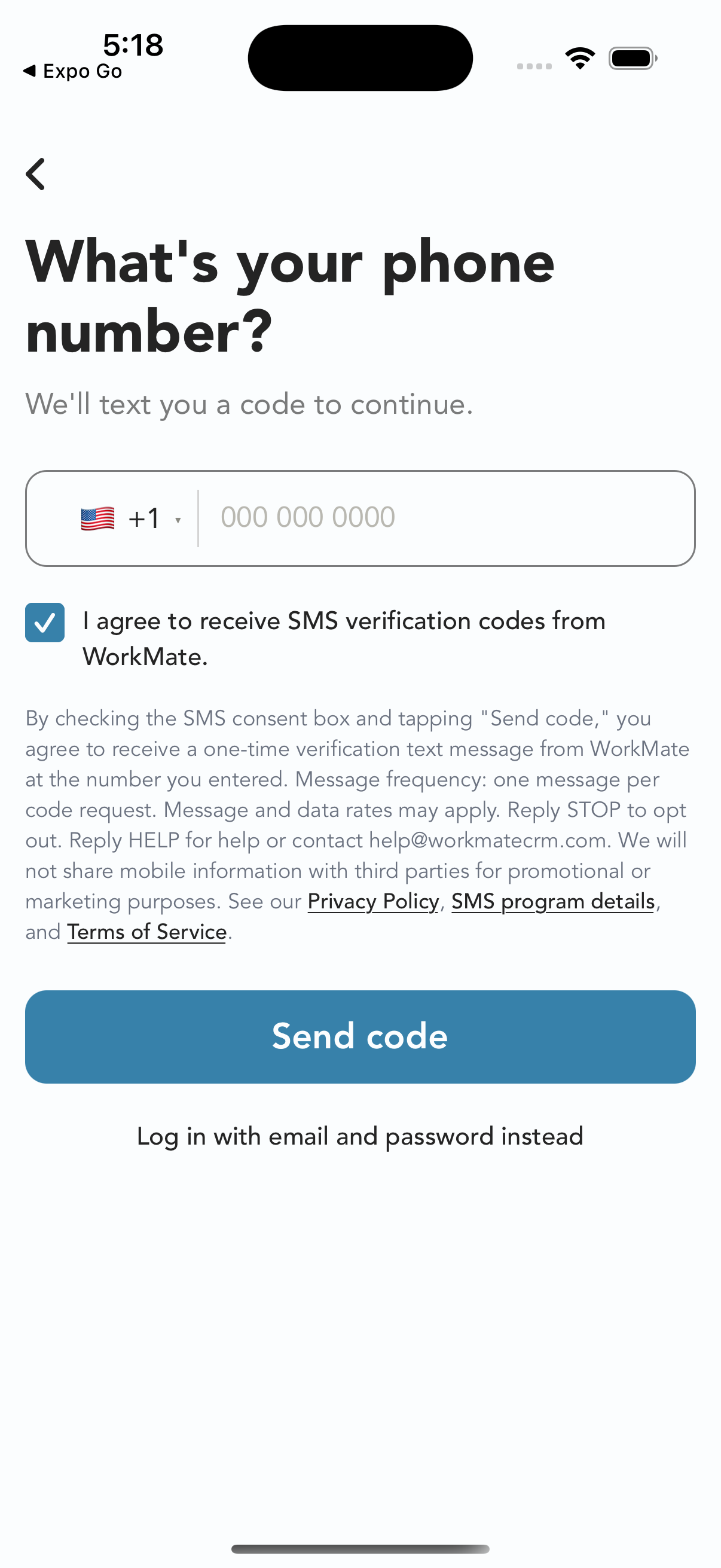
- Read the consent notice shown directly beneath the phone number field, select the SMS consent checkbox, then tap Send code. The checkbox starts unchecked and is separate from any Terms agreement. Send code stays greyed out and disabled until you select the checkbox. You can choose to log in with email and password instead.
The consent notice shown beneath the phone number field reads:
By checking the SMS consent box and tapping "Send code," you agree to receive a one-time verification text message from WorkMate at the number you entered. Message frequency: one message per code request. Message and data rates may apply. Reply STOP to opt out. Reply HELP for help or contact help@workmatecrm.com. We will not share mobile information with third parties for promotional or marketing purposes. See our Privacy Policy, SMS program details, and Terms of Service.
Opt-in screen
The app screens below show the phone number field, the complete SMS disclosure, and links to the Privacy Policy, SMS program details, and Terms of Service. The checkbox starts unchecked, with Send code greyed out and disabled. Send code becomes available after selecting the checkbox.
Message frequency
You receive one text message each time you request a verification code. You will not receive recurring messages, and no message is sent unless you request a code.
Message and data rates
Message and data rates may apply, depending on your mobile carrier and plan.
Opt out (STOP)
Reply STOP to any WorkMate text message to opt out. You will receive a single confirmation message and no further texts. You can sign in with your email address instead.
Help (HELP)
Reply HELP to any WorkMate text message for assistance, or contact us at help@workmatecrm.com.
Sample message
123456 is your WorkMate verification code. Don't share this code with anyone.
Privacy
Your mobile information will not be sold or shared with third parties or affiliates for promotional or marketing purposes. Phone numbers are used only to deliver the verification codes described here. Full details are in our Privacy Policy (see Section 10, SMS / Text Messaging) and Terms of Service.